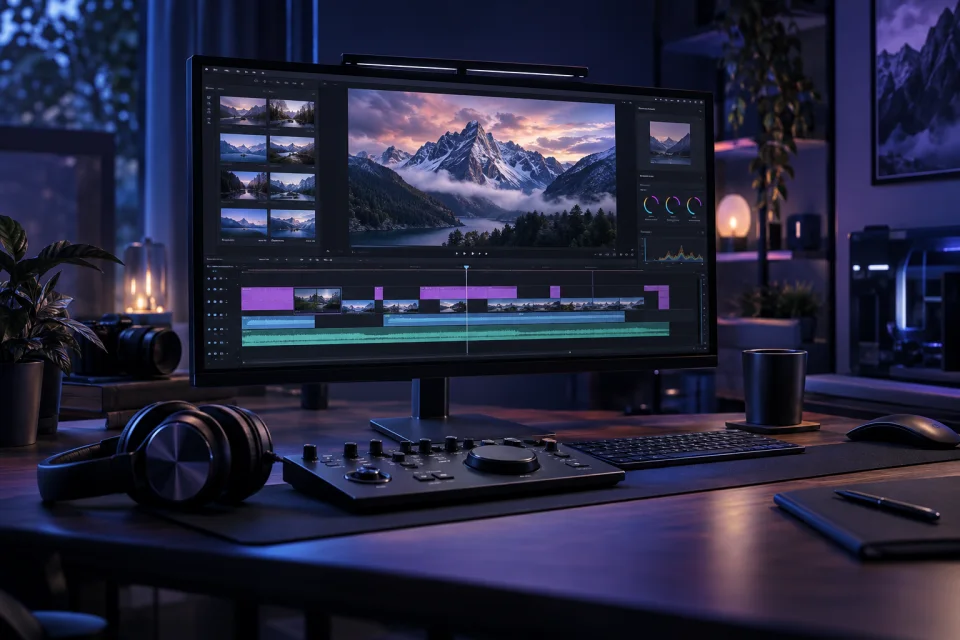
FOUNDATION SERIES N

Content Creation · Written course

CapCut Video Editing Foundations

DIGITAL EDUCATIONAL PRODUCT · ONE-TIME PAYMENT · NO SUBSCRIPTION.

Shape raw clips into a clear, checked final video.

  • Level under review
  • Language under review
  • Written course
  • 4 sections
  • Self-paced
Read the free preview

Make knowledge useful

What you’ll learn

Plan source media, build a rough cut, refine captions and audio, then export through a repeatable quality check. Independent education; not affiliated with or endorsed by CapCut or ByteDance. A CapCut account, paid features, stock licences and publishing accounts are not included.

  • Plan the edit and organise source media
  • Build a clear rough cut on the timeline
  • Refine captions, text and audio for comprehension
  • Export, quality-check and preserve a usable master

A clear route forward

Your learning path

4 sections
  1. 01 Plan the edit and organise source media Free preview
  2. 02 Build a clear rough cut on the timeline Included with access
  3. 03 Refine captions, text and audio for comprehension Included with access
  4. 04 Export, quality-check and preserve a usable master Included with access

Try before you enrol

A complete first look

Read the opening section and try its practical exercise before deciding.

Free section Plan the edit and organise source media
Video editing starts before the timeline. Define the audience, one takeaway, intended frame and approximate duration. Then write a simple beginning, middle and end. This gives every clip a job and prevents effects from becoming the structure. A beginner project should be small enough to finish and review, such as a 40-second vertical demonstration made from six original clips. Create a project folder outside the editor with source video, audio, graphics, script, rights notes and exports. Keep original files unchanged. Rename working copies with useful descriptions and dates rather than “clip final 7”. Confirm that you created the material or have appropriate permission for the intended use. Stock assets, templates, typefaces and music can have separate terms; availability inside software does not automatically establish every use right. Fictional worked example: Lantern Lunchbox, an invented recipe project, plans a short demonstration called “Pack a crisp salad without mixing the dressing early”. Its six shots are ingredients, dry container, dressing jar, layering, lid check and final packed box. The source log records who filmed each shot, whether a hand is recognisable, the music source and the recipe-fact reviewer. The example does not give dietary advice or promise a particular storage outcome. CapCut is available in different versions, and controls can move. The stable workflow is to create a project, import chosen media, place it on a timeline and preserve the originals. Set the intended aspect ratio before detailed text placement. Verify current official CapCut guidance for the device and version you use instead of depending on one brittle menu path. Review each clip before import. Reject footage that exposes private details, lacks permission, cannot show the required action or has unusable sound. Note technical differences such as orientation, resolution and frame rate, but do not upscale poor footage and call it improved evidence. Back up material appropriate to its sensitivity and delete accidental personal data through the organisation’s process. This independent course is not affiliated with or endorsed by CapCut or ByteDance. A CapCut account, paid features, cloud storage, stock licences, music rights and publishing accounts are not included. The first deliverable is an edit brief and source log, not a finished viral video.

Try this

1. Invent a 40-second demonstration with one audience and one takeaway. 2. Write a beginning, middle and end, then make a six-shot list where every clip has a purpose. 3. Design a folder structure for originals, working media, audio, graphics, rights notes and exports. 4. Create a fictional source log with owner, permission, technical notes and rejection reason. 5. Choose the frame shape and target duration, then explain which current official CapCut guide you would verify for your device before editing.

Before you begin

Good to know

What format is this?

Written lessons + PDF workbook. This edition is written learning with exercises, not a video course. No external software subscription is included.

How long can I access it?

Permanent personal access to the purchased edition. Existing permanent licences remain permanent.

What does the licence record confirm?

It confirms your personal product licence and its status. It is not a diploma, accreditation or certificate of assessed completion.

+44 7385 284787 support@novaxuniverse.com

No optional analytics or advertising integrations are currently configured.

Essential cookies keep sign-in, your basket and security working. The preferences below do not install any new technology.

Essential storage inventory

novax_session: encrypted session identifier for login, basket and security. Configured session lifetime: 120 minutes.

XSRF-TOKEN: protects form requests against cross-site forgery; tied to the session.

nova-consent-v1: local browser storage for these preferences, valid for up to 180 days. A new published cookie policy resets optional permissions. No permission is inferred from closing this panel.

Cookie Policy